
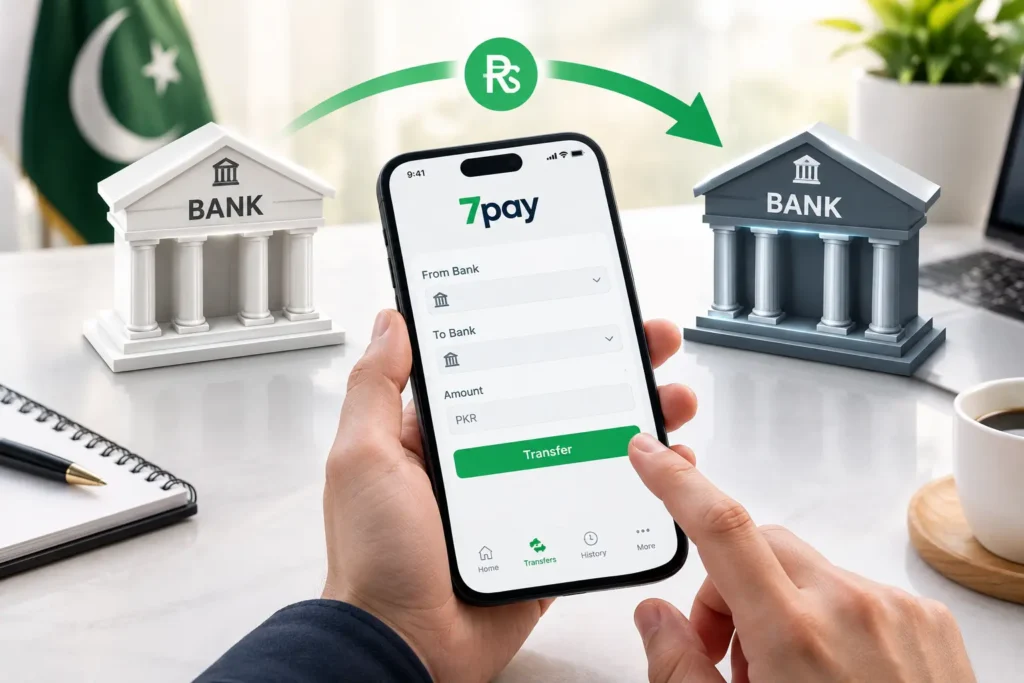
If you have ever needed to send money from one bank to another online in Pakistan, you already know how frustrating branch visits, long queues, and paperwork can be. Today, digital wallets have changed that completely. With 7Pay, you can complete a full bank-to-bank transfer in minutes, right from your phone, without stepping outside your home.
This guide walks you through everything you need to know about transferring money between bank accounts using 7Pay, from setup to security to fees.
What It Means to Send Money From One Bank to Another Online in Pakistan
Sending money from one bank to another online simply means moving funds digitally between two different bank accounts without visiting a branch. Instead of writing a cheque or standing in line, an online bank transfer lets you complete the entire process through a mobile app.
With 7Pay, this process is built around convenience. You link your bank account or wallet, enter the recipient’s details, and the transfer moves through secure banking rails such as IBFT or Raast. The result is a fast, paperless, and fully digital money transfer experience.
Why 7Pay Is Built for Bank-to-Bank Transfers
7Pay is designed as a digital wallet that makes online banking simple for everyday users. Whether you’re paying a family member, settling a bill, or moving funds between your own accounts, 7Pay keeps the process short and reliable.
Key reasons people choose 7Pay for a bank account transfer include:
- A clean, easy-to-use mobile app interface
- Support for instant bank transfer through Raast and IBFT
- Real-time transaction confirmation and full transaction history
- Biometric verification and two-factor authentication for every transfer
- No need to visit a branch or fill out physical forms
Because 7Pay focuses on digital payments in Pakistan as a whole, it also supports mobile recharge, bill payments, and everyday transactions, not just transfers between bank accounts.
Step-by-Step: How to Transfer Money From One Bank to Another With 7Pay
Here is exactly how to send money from one bank to another online in Pakistan using 7Pay.
Step 1: Open the 7Pay App and Log In
Launch the 7Pay app and log in using your registered mobile number and PIN or biometric verification. This ensures that only you can access your wallet and initiate a transaction.
Step 2: Select the Bank Transfer Option
From the home screen, choose the option for a bank transfer or online fund transfer. This is where you’ll begin the process of sending money between bank accounts.
Step 3: Enter Recipient Account Details
Add the recipient’s account number or IBAN, along with the receiving bank’s name. Double-check these details, since an incorrect account number is the most common reason a transfer fails or gets delayed.
Step 4: Choose Raast or IBFT
7Pay lets you choose between Raast payment for instant, low-cost transfers or IBFT for standard interbank fund transfers. Raast is generally faster and often free for smaller amounts.
Step 5: Enter the Amount and Confirm
Type in the amount you want to send, review the transaction fee if applicable, and confirm the details on the summary screen.
Step 6: Authenticate the Transaction
Complete the transfer using your PIN, fingerprint, or face verification. This two-factor authentication step protects your account from unauthorized access.
Step 7: Receive Payment Confirmation
Once processed, you’ll get an instant payment confirmation along with a transaction ID, which is saved automatically in your transaction history for future reference.
This entire process usually takes less than two minutes, making 7Pay one of the quickest ways to transfer money online in Pakistan.
Comparing Transfer Methods: IBFT vs Raast vs In-App Transfer
Different transfer methods suit different needs. Here’s a quick comparison to help you pick the right option when you transfer money between bank accounts using 7Pay.
| Feature | IBFT | Raast | 7Pay In-App Transfer |
| Speed | Few minutes to a few hours | Instant | Instant |
| Availability | 24/7 | 24/7 | 24/7 |
| Typical Fee | May apply based on amount | Usually free or low-cost | Transparent, shown before confirmation |
| Best For | Larger transfers | Quick, everyday transfers | All bank-to-bank transfers via one app |
| Recipient Requirement | Account number or IBAN | Raast ID or IBAN | Account number or IBAN |
7Pay supports both IBFT and Raast payment within a single app, so you never need to switch platforms depending on which method you prefer.
Transfer Fees, Limits, and Processing Time
Before you transfer money online in Pakistan, it helps to understand the basics of fees, limits, and timing.
- Transaction fee: Money transfer fees depend on the amount and the transfer method chosen. Raast transfers are typically more cost-effective for smaller amounts.
- Transfer limit: Daily and per-transaction limits apply based on your account verification level within the app.
- Transaction processing time: Raast payments are processed instantly, while some IBFT transfers may take slightly longer depending on the receiving bank.
7Pay displays all applicable charges clearly before you confirm any transaction, so there are no surprises once the transfer is complete.
How 7Pay Keeps Your Money Transfers Secure
Security is one of the biggest concerns people have when they transfer money online in Pakistan, and rightly so. 7Pay addresses this with multiple layers of protection.
- Biometric verification for login and transaction approval
- Two-factor authentication on every bank transfer
- Encrypted data transmission to protect account and personal information
- Real-time alerts for every transaction, so you always know when money moves
- Detailed transaction history that lets you track every transfer you’ve made
This layered approach to payment security means your funds and data stay protected at every step of the online banking process.
Common Mistakes to Avoid When Transferring Money Between Bank Accounts
Even a simple bank account transfer can go wrong if you’re not careful. Keep these tips in mind:
- Always double-check the recipient’s account number or IBAN before confirming
- Choose Raast for smaller, urgent transfers to save on fees
- Keep your app updated to avoid processing delays
- Save your transaction ID until you receive payment confirmation
- Avoid sharing your PIN or OTP with anyone, even if they claim to be from support
Following these simple habits makes every bank transfer using mobile app smoother and safer.
Frequently Asked Questions
1. How do I send money from one bank account to another online in Pakistan using 7Pay? Open the 7Pay app, select bank transfer, enter the recipient’s account details, choose IBFT or Raast, and confirm with your PIN or biometric verification.
2. Is it safe to transfer money between two bank accounts using a mobile app? Yes. 7Pay uses biometric verification, two-factor authentication, and encrypted transmission to keep every transfer secure.
3. How long does a bank-to-bank transfer take in Pakistan? Raast payments are usually instant, while some IBFT transfers may take a few minutes to a few hours depending on the receiving bank.
4. What is the fee for transferring money between banks in Pakistan? Fees vary by amount and transfer method. 7Pay shows the exact transaction fee before you confirm any transfer.
5. Can I transfer money using a mobile app without visiting a bank branch? Yes, that’s the entire purpose of 7Pay. You can complete an online bank transfer from anywhere using just your phone.
6. Do I need the recipient’s IBAN to send money to a bank account? In most cases, yes, though some methods like Raast can work with a registered Raast ID as well.
7. What is the difference between IBFT and Raast on 7Pay? IBFT is a standard interbank transfer method, while Raast is a real-time payment system, often faster and more cost-effective for smaller amounts.
8. Is there a limit on how much money I can transfer online in Pakistan? Yes, transfer limits depend on your account verification level within the 7Pay app.
9. What happens if I enter the wrong account number during a transfer? The transaction may fail or be delayed. Always verify the recipient’s account number or IBAN before confirming.
10. Can 7Pay be used for more than just bank transfers? Yes, beyond bank-to-bank transfers, 7Pay also supports bill payments, mobile recharge, and other everyday digital payments.
Conclusion
Learning how to send money from one bank to another online in Pakistan doesn’t have to be complicated. With 7Pay, the entire process, from entering recipient details to final payment confirmation, is designed to be fast, secure, and simple. Whether you choose Raast for instant transfers or IBFT for standard bank-to-bank transfers, 7Pay gives you a reliable way to manage your digital money transfer needs without ever leaving your home.
Call to Action
Ready to experience a faster way to transfer money online in Pakistan? Download the 7Pay app today and complete your first bank-to-bank transfer in just a few taps.